
Bin Checker - Check, Validate2.6.8 - Google Play
You'll be able to see results in few seconds.
Publisher Description
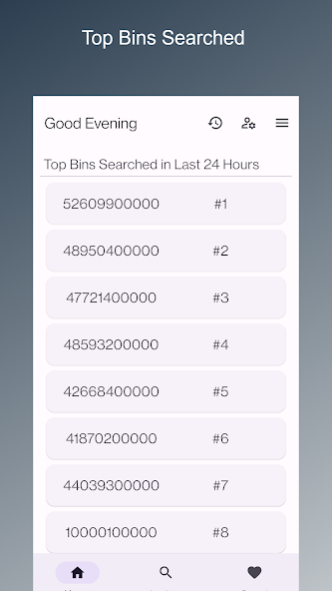

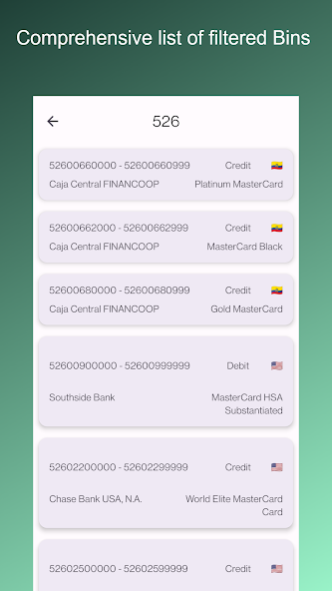

What is Bank Identification Number ?
A Bank Identification Number (BIN) is the first 6 to 11 digits of a credit card or debit card number. It is used to identify the issuer or bank that issued the card. BINs are an integral part of the payment card industry, and they serve several important purposes:
Issuer Identification: BINs help identify the financial institution that issued the card. This information is crucial for processing transactions, as it helps determine where the transaction should be routed for authorization.
Fraud Prevention: BINs are used in fraud detection and prevention systems. If a transaction is made with a card from a foreign country, for example, it may trigger additional security checks, as it could be a sign of potential fraud.
Geographic Information: BINs can also provide information about the country or region where the card was issued. This can be useful for businesses that want to target specific markets or need to apply different processing rules based on the card's origin.
Network Identification: BINs can indicate whether a card is associated with a specific card network, such as Visa, MasterCard, American Express, or Discover. This information is essential for routing transactions to the appropriate network.
Card Type: BINs can help distinguish between different types of cards, such as credit cards, debit cards, prepaid cards, and gift cards. This information is used to apply the correct processing rules.
BINs are publicly available and can be used by merchants and payment processors to identify and validate payment card information. However, they do not contain sensitive information like the cardholder's name, account number, or expiration date. Those details are typically stored in the remaining digits of the card number and on the magnetic stripe or EMV chip of the card. BINs are just one part of the card number that helps facilitate secure and efficient payment processing.
Bank Identification Number (BIN), also known as the Issuer Identification Number (IIN), comprises the initial six digits of a bank card or payment card number. It's an integral part of the ISO/IEC 7812 standard and is widely utilized in credit cards, debit cards, stored-value cards, gift cards, and similar card types.
BIN plays a crucial role in identifying the card brand, issuing institution or bank, country of issuance, card type, and card category. This information is exceptionally valuable in commercial businesses, especially for preventing fraud, particularly in online stores.
The structure of credit card and debit card numbers with BIN conforms to ISO/IEC 7812 and can be up to 19 digits in length. It follows this format:
BIN Checker is a powerful tool that helps you quickly and easily identify the bank and issuer of any credit or debit card based on its BIN number. With our app, you can save time and reduce errors by eliminating the need to manually research BIN numbers.
Our app features a comprehensive database of BIN numbers for all major credit and debit card issuers, making it easy to quickly identify the issuer of any card. You can also search for BIN numbers by issuer name or card type.
In addition to identifying the bank and issuer of a card, BIN Finder also provides useful information on card types, including credit, debit, prepaid, and more. You can also view important details such as card brand, country of origin, and card level.
Our user-friendly interface makes it easy to search for BIN numbers and view detailed information on each card. Whether you're a merchant, financial institution, or just a curious consumer, BIN Finder is a must-have tool for anyone who deals with credit and debit cards.
Download BIN Checker today and start identifying credit and debit cards like a pro!
About Bin Checker - Check, Validate
The company that develops Bin Checker - Check, Validate is Geeklord. The latest version released by its developer is 2.6.8.
To install Bin Checker - Check, Validate on your Android device, just click the green Continue To App button above to start the installation process. The app is listed on our website since 2023-12-13 and was downloaded 0 times. We have already checked if the download link is safe, however for your own protection we recommend that you scan the downloaded app with your antivirus. Your antivirus may detect the Bin Checker - Check, Validate as malware as malware if the download link to com.assets.binfinder is broken.
How to install Bin Checker - Check, Validate on your Android device:
- Click on the Continue To App button on our website. This will redirect you to Google Play.
- Once the Bin Checker - Check, Validate is shown in the Google Play listing of your Android device, you can start its download and installation. Tap on the Install button located below the search bar and to the right of the app icon.
- A pop-up window with the permissions required by Bin Checker - Check, Validate will be shown. Click on Accept to continue the process.
- Bin Checker - Check, Validate will be downloaded onto your device, displaying a progress. Once the download completes, the installation will start and you'll get a notification after the installation is finished.
Program Details
System requirements
Download information
Pricing
Version History
version 2.6.8
posted on 2023-12-13
- Dependency Update
version 2.6.4
posted on 2023-11-30
- Dependency Update
- Bug Fixes
version 2.6.3
posted on 2023-10-24
- added binlist.net
version 2.6.1
posted on 2023-07-27
⭐New Features
- Able to view when the data is last updated
🚧 General Updates
- Bug Fixes
- Dependency Update
- GDPR Compliance for EEA and UK users
version 2.6.0
posted on 2023-06-08
- Bug Fixes
version 2.5.0
posted on 2023-04-23
- Minimal Change
version 2.3.3
posted on 2023-03-19
- Dependency Update
- Fix Multiple Ads at once
version 1.0.42
posted on 2022-04-22
- Api Integration
Seon.io (free 10 search per day)
Scanfraud.com (free 10 search per day)
version 1.0.40
posted on 2022-04-07
- Mastercard Data Update
- Dependency Update
version 1.0.39
posted on 2022-01-28
- Global Statistics is added (Available at 3 dot menu)
- Moved to Android SDK Level 32
- Dependency Update
- Minor Fix
Disclaimer
Official Google Play Link
We do not host Bin Checker - Check, Validate on our servers. We did not scan it for viruses, adware, spyware or other type of malware. This app is hosted by Google and passed their terms and conditions to be listed there. We recommend caution when installing it.
The Google Play link for Bin Checker - Check, Validate is provided to you by apps112.com without any warranties, representations or guarantees of any kind, so access it at your own risk.
If you have questions regarding this particular app contact the publisher directly. For questions about the functionalities of apps112.com contact us.
